

온도 조절기
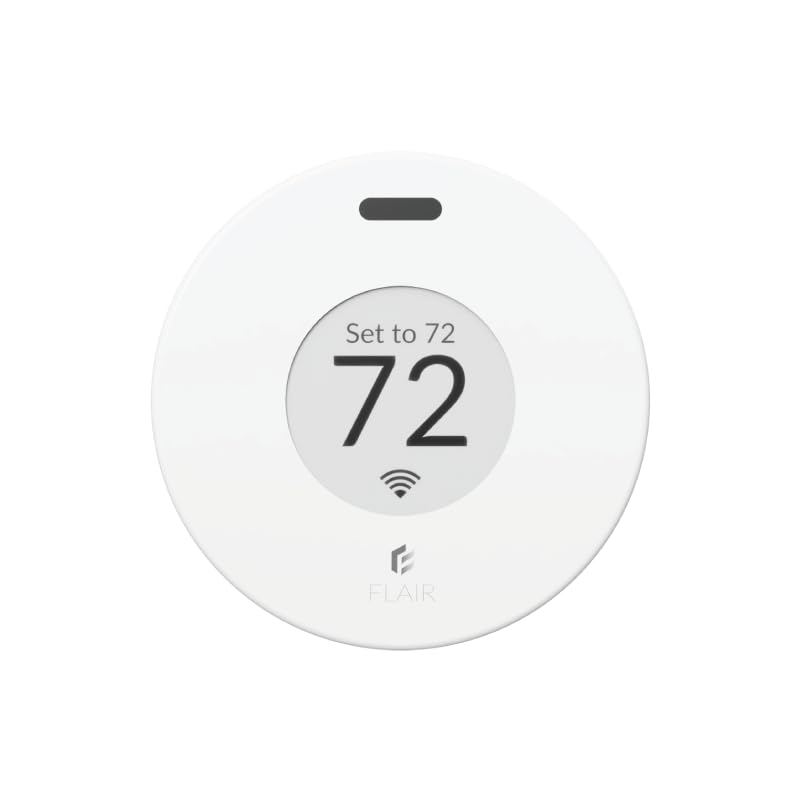
Flair Puck Wireless Smart Thermostat for Flair Smart Vents or Mini Split Control
3.40
지난 32시간 동안 판매됨 38
$ 119.00
$ 123.00
-3.36%
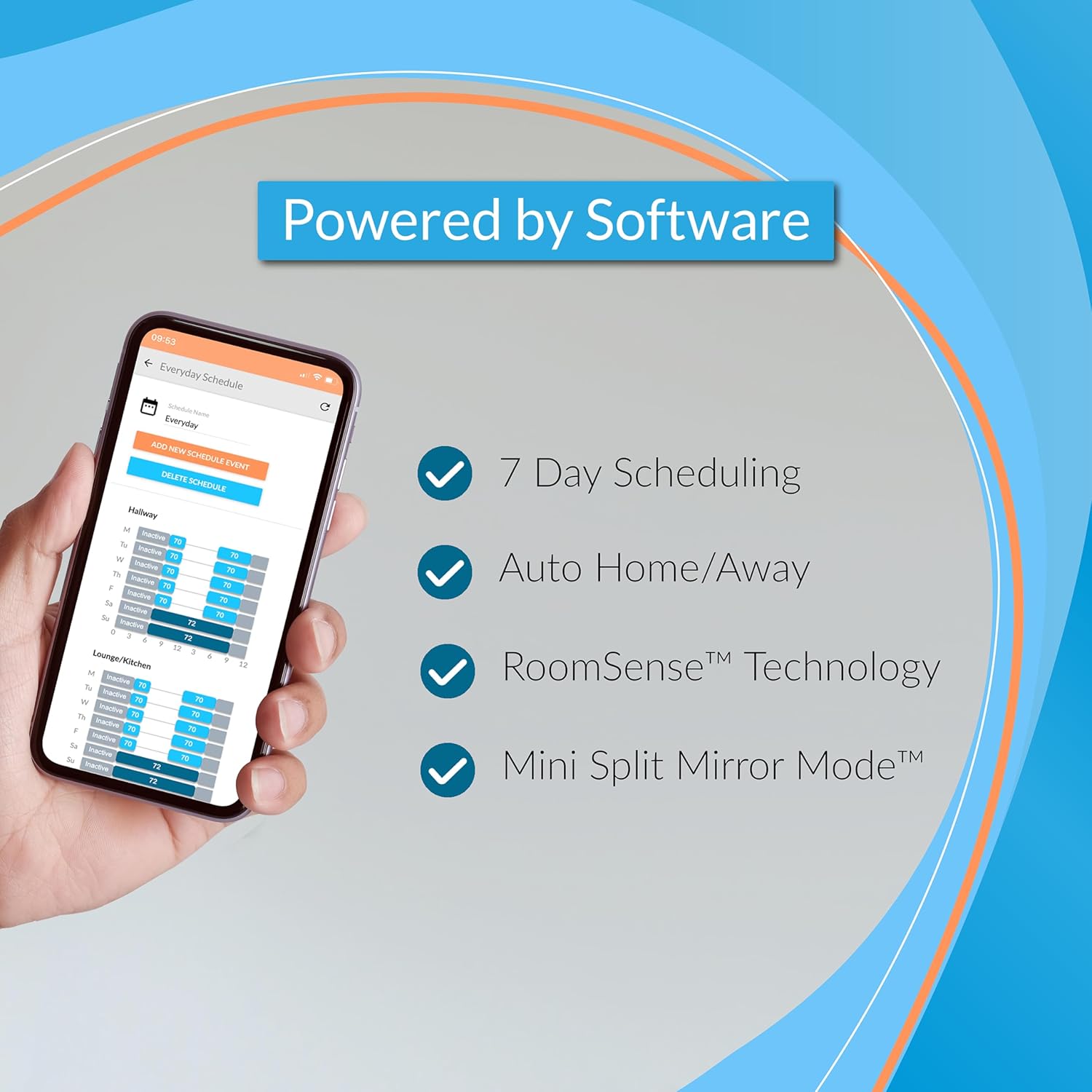
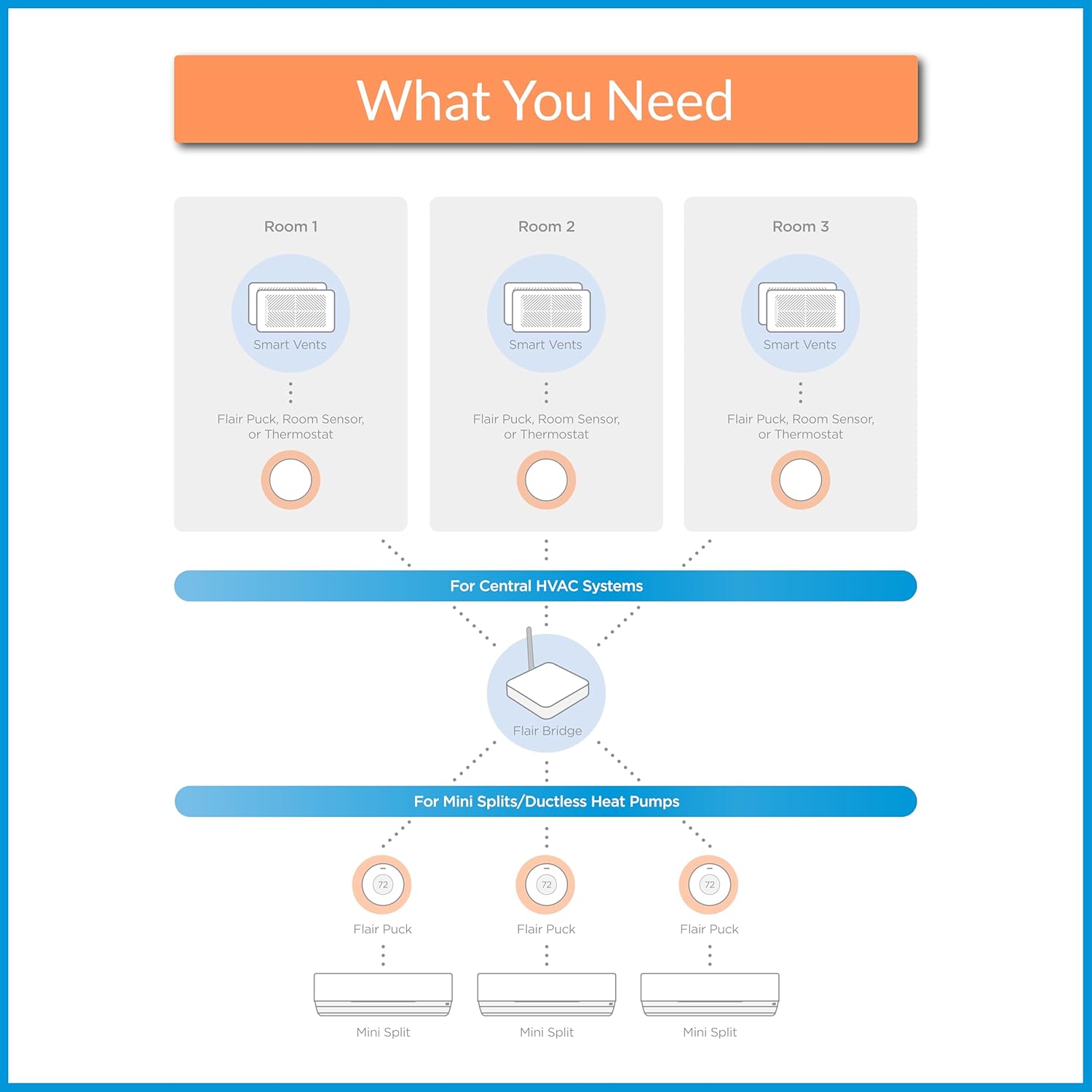
My original review is below below the line break. But I wanted to update this since buying a second one and using the first one now for a few months. I still haven't tried to connect to my Google home system. Just being able to use the app alone is enough for me. I really hate "talking" to my google home speaker more times than I have to. Every light switch and outlet in my home now is practically google home enabled. So it gets tiresome and most times I'd rather just use the app to push a digital button and know what I chose for an option is going to be executed.As I said, the first one I installed works great. Setup should NOT be done through the app. Go to their website to do it. Sign up for your account there, log in, and add the device via your web browser. (Use a laptop or desktop THAT HAS WIRELESS - if you don't have one, borrow one from a friend just to get the setup done. After that, the app works great). This was no different with my 2nd puck being added. I used my laptop and set it up without a problem. I created a new room, and I created a new mini-split, then added that mini-split to the newly created room. Tested and verified the new puck controls the mini-split without issue.I did notice one small flaw, and it's not likely to ever be corrected regardless of firmware updates and such. While my first Flair puck responds within 3-5 seconds of choosing settings on the app (or in the browser), the 2nd Flair puck I installed takes nearly 30-40 full seconds to respond. Having a background in both computers and RF I think I know why this is happening. Your first puck is set up as the "gateway." (Unless you purchase the specific gateway device from them that's not a puck - which isn't needed.) Every subsequent puck you add after that is just a "puck" device and it's only way to get the commands sent to it is from the 1st puck acting as the gateway. This adds quite a bit of delay to 2nd, 3rd, 4th, etc. pucks added when you make changes to the settings. 30+ seconds for your mini-split to get the command you put in the app is pretty lengthy. I wonder if adding the 2nd puck as yet another gateway would fix this - though that might not work, or even create issues having more than one Flair gateway running at a time. Either way it does work and if there's some more seconds between remotely turning it on/off I don't care as long as it actually does it. So long as it doesn't become 5-10 minutes! As I said in my original review I planned on buying more of these. I have 5 mini-split head units total. I have 3 more to go and they will all get one eventually. I just hope the company doesn't go under because all communication requires their backend system remain up and running, and WITHOUT charging you. If they do go belly up, I ask that they please release an API so that people can still use their very expensive equipment with "Home Assistant" which is a self-hosted smart home software that's free and can run on even just a cheap raspberry pi. I had a "wink" branded system years ago that was sold through Home Depot. I bought light switches, outlets, even 3 deadbolt door locks all on their system that promised "NO FEES - EVER." Well, they reneged on that 2 years into my using it. Wanted to start collecting $15 a month subscription. I ripped every single outlet and switch out of my wall and torched the equipment on my driveway with a blow torch I was so angry they pulled that carp.And again, if you cannot get it connected... it's NOT the equipment. It's you.#1 - DO NOT USE THE APP for setup, regardless of included instructions.#2 - Use their website for setup (see my original review text below for it, or google it)#3 - Stop looking at the strangely low rating here on this, and the negative Nancy's who say it's garbage, it most certainly is not!_____________________________________________________________________________________________I'm no rookie when it comes to RF or Wi-Fi networks. I have been involved in this technology for 25 years for work. No matter what I did I could not get this Puck to connect to my Wi-Fi. bottom line is the app sucks for setting it up. Skip the entire setup process within the app. set up via the web instead. first, make yourself a flair account. afterwards go to my.flair.co (NOT .com) And log in there. do this on either a laptop or a computer with Wi-Fi. The device must have Wi-Fi as you will need to temporarily connect to a temporary Network that the flair puck creates for the purposes of setup. once you get to the point where it wants you to search for the flare puck, it will instruct you to make your computer Wi-Fi connect directly to the flair Puck temporary Network. once you do this, a pop-up window will come up and search for wireless networks. here you pick the wireless network you want to connect to and enter the password. once you are done, it will direct you to reconnect your computer to your normal Wi-Fi and continue the setup process. again, do not use the app on your mobile device to do the setup. You're asking for frustration and failure. If you don't have a laptop, borrow somebody's! I am happily sitting under my Mitsubishi mini split which I can control now from the app. I have not yet tested Google home speaker integration. however, my son likes to make his bedroom like a bear cave with full blast fans speed and the lowest temperature. now I can simply open an app after he's fallen asleep and lower The fan speed and put the temperature at a more reasonable 67 or 68°. once the puck is set up. it works flawlessly. I have five mini splits all by Mitsubishi. I absolutely will be buying at least two more of these. I'm just waiting to make sure it works well for a week first. eventually I will have one puck per mini split. Mitsubishi makes a direct control module that plugs into a daughter board inside each mini split, but it has terrible reviews and does not work very well. Thank you flair .
29 현재 누군가가 웹사이트를 탐색 중입니다.
수량:
-
+
예상 배송 시간: 12~26일(국제), 3~6일(미국)
구매일로부터 45일 이내에 반품이 가능합니다. 관세 및 세금은 환불되지 않습니다.
-
ASIN:
B07TPRLYS1
-
BATTERIES:
2 AAA batteries required. (included)
-
BEST_SELLERS_RANK:
#92,906 in Tools & Home Improvement (See Top 100 in Tools & Home Improvement) #167 in Home Programmable Thermostats
-
DATE_FIRST_AVAILABLE:
July 1, 2019
-
IS_DISCONTINUED_BY_MANUFACTURER:
No
-
ITEM_MODEL_NUMBER:
313699093
-
ITEM_WEIGHT:
7.4 ounces
-
MANUFACTURER:
FLAIR
-
PRODUCT_DIMENSIONS:
3.15 x 3.15 x 3.15 inches
안전한 결제를 보장하세요






제품 상세 정보
Install the Flair App
To get started with installation and setup, download the Flair app and create your Flair account. The app is available on the Apple App Store and Google Play Store, plus a web app that can be accessed from a browser.
Run the Setup
The Flair app will guide you through step-by-step instructions to connect your devices and complete setup. We recommend keeping your Flair devices near you during setup so they can easily be discovered.
Self Help
Flair has an extensive knowledge base of information. You can access installation guides, user guides and common troubleshooting on our support website.
Contacting Flair
Still experiencing issues? We're here to help. Visit our website for Live Chat (9am-8pm ET Mon-Fri & 9am-12pm ET Sat) or to send a message to our team and we'll get back to you as soon as possible.
Smart Vents, Bridge, Puck & App - Smart Climate Control for Every Room.
We're passionate about saving energy and increasing home comfort at an affordable cost.
Our products are compatible with ecobee, Honeywell and Nest, and work with Alexa and Hey Google!
고객 리뷰
3.40
(100 점수)
댓글 취소
댓글을 남겨주세요

배송 및 반품
우리가 당신을 보호하겠습니다
대부분 지역에서는 배송비를 한 번만 지불하시면 됩니다 (주문 및 배송 페이지를 확인해 주세요).
구매 후 14일 이내 무료 반품 가능 (단, 수명이 다한 제품, 맞춤 제작 상품, 마스크, 향수 및 에어로졸과 같이 위험하거나 인화성 물질이 포함된 일부 제품은 제외).
수입 관세 정보
복잡한 절차는 저희가 처리해 드리겠습니다. 카나리아 제도를 제외한 모든 EU 국가, 영국, 미국, 캐나다, 호주, 뉴질랜드, 푸에르토리코, 스위스, 싱가포르, 한국, 쿠웨이트, 멕시코, 카타르, 인도, 노르웨이, 사우디아라비아, 대만, 태국, UAE, 일본, 브라질, 맨섬, 산마리노, 콜롬비아, 칠레, 아르헨티나, 이집트, 레바논, 홍콩 특별행정구, 바레인, 터키로 배송되는 상품 가격에는 모든 수입 관세가 포함되어 있습니다. 표시된 가격이 최종 결제 금액입니다.
예상 배송 시간
특급 배송: 7-10일
해당 창고에서 배송되었습니다.
반품 정책
반품 정책
저희는 제품 품질에 자신 있습니다. 만약 구매하신 제품에 완전히 만족하지 못하신다면, 수령일로부터 30일 이내에 간편하게 반품하실 수 있도록 정책을 마련해 두었습니다.
간편한 교환 또는 환불
- 다른 사이즈, 색상 또는 스타일의 상품으로 교환하거나 전액 환불받을 수 있습니다.
- 반품되는 모든 상품은 착용하지 않은 상태여야 하며, 원래 포장 상태 그대로 모든 태그가 손상되지 않은 상태여야 합니다.
간단한 절차
- 온라인으로 반품을 신청하거나 고객 서비스 팀에 문의하여 도움을 받으실 수 있습니다.
- 물품을 제대로 포장해 주시고, 원래의 포장 목록도 함께 넣어주세요.
- 반품하실 상품을 보내주실 때에는 저희가 제공해 드린 선불 배송 라벨을 사용해 주시기 바랍니다.
- 환불 요청 접수 즉시 처리해 드리겠습니다.
반품과 관련하여 궁금한 점이나 우려 사항이 있으시면 언제든지 저희 전문 고객 서비스 팀에 문의해 주세요. 고객 만족은 저희의 최우선 목표입니다.