고객 서비스

판매자들은 가입하면 더 많은 혜택을 누릴 수 있습니다.

모든 주문 무료 배송.

입력 장치

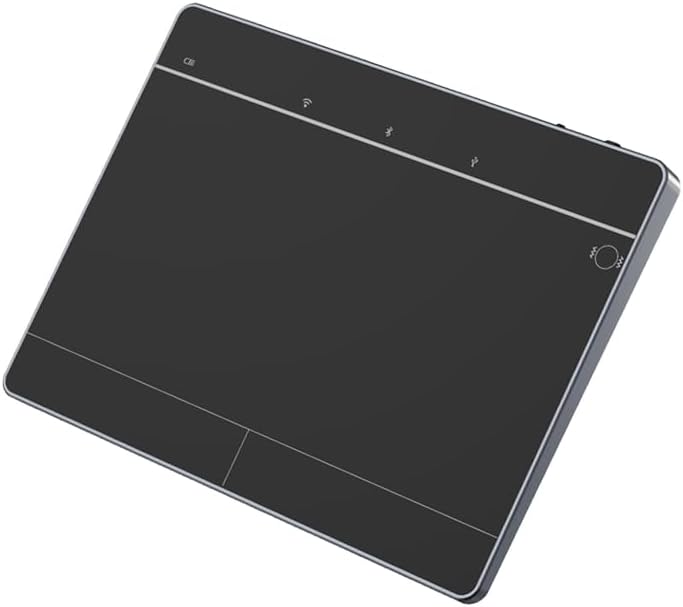
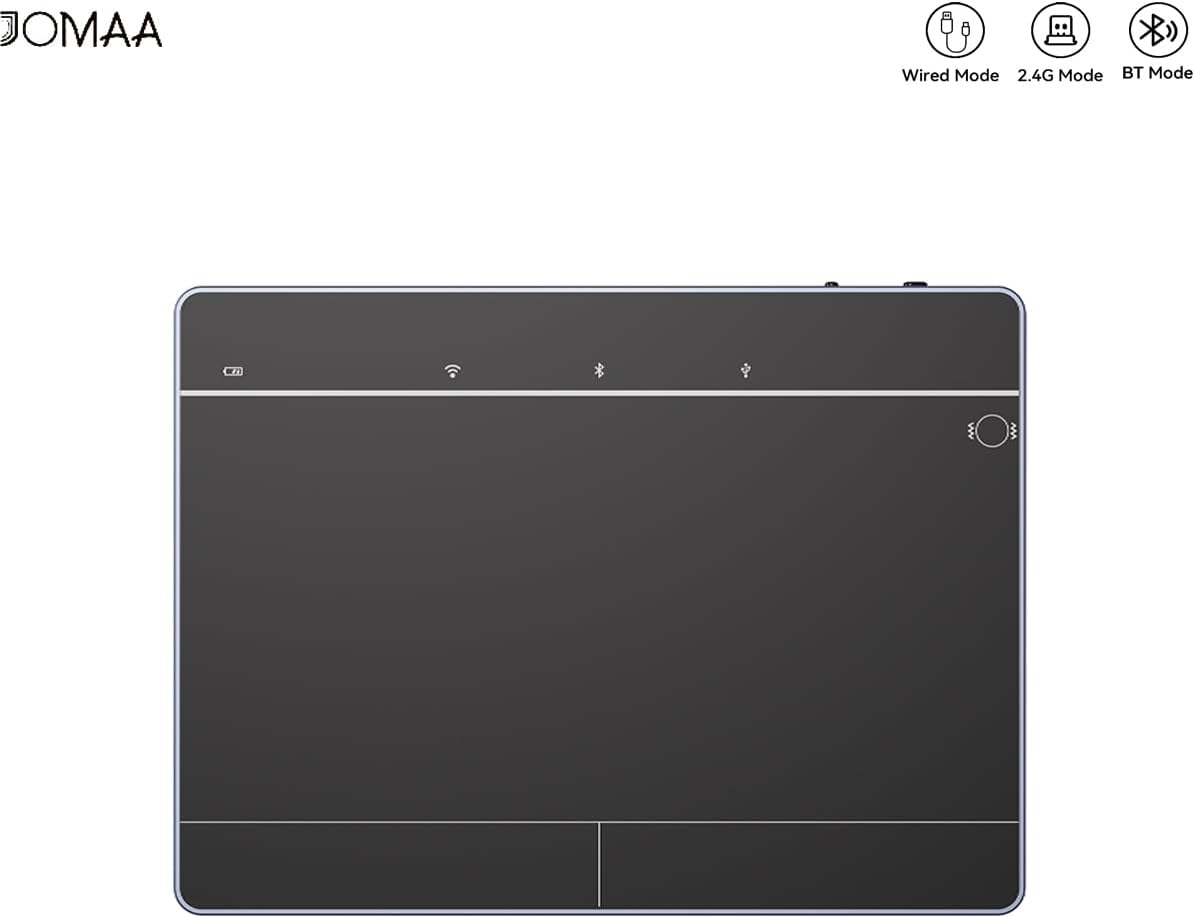
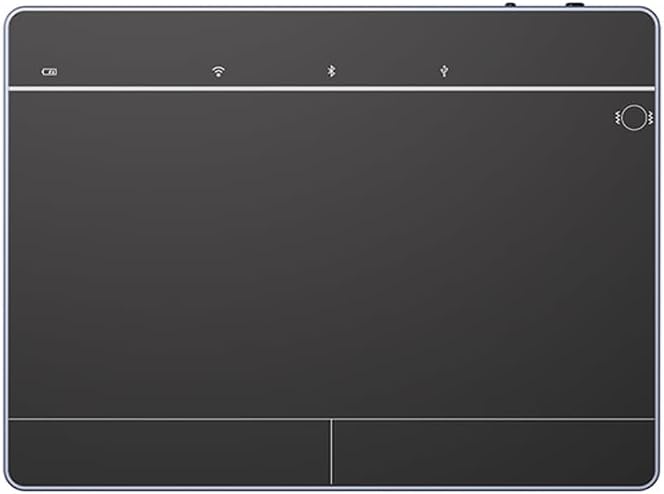
JOMAA Wired&2.4GWireless&Bluetooth Trackpad for Windows 10/11,Rechargeable Touchpad Mouse with Multi-Gesture Support for PC Laptop Computer (Black)

4.00

지난 32시간 동안 판매됨 20

$ 47.40
$ 50.00
-5.49%

Works great as expected. We used to have some option at the option after the total shoulder replacement of one of the employees on their opposing hand and made it much easier for them to operate on their non-dominant end. Now that they are back to using their dominant hand regularly they like the function of it without having to cup around a mouse

26 현재 누군가가 웹사이트를 탐색 중입니다.

Color
Silver Black
수량:
- +

예상 배송 시간: 12~26일(국제), 3~6일(미국)

구매일로부터 45일 이내에 반품이 가능합니다. 관세 및 세금은 환불되지 않습니다.

  • ASIN:

    B0FFZ2TYK3

  • AVERAGE_BATTERY_LIFE_IN_HOURS:

    40 Hours

  • BATTERIES:

    1 9V batteries required. (included)

  • BEST_SELLERS_RANK:

    #3 in Computer Touch Pads

  • BRAND:

    JOMAA

  • CARD_DESCRIPTION:

    Integrated

  • COLOR:

    Black

  • CUSTOMER_REVIEWS:

    4.0 4.0 out of 5 stars (13) 4.0 out of 5 stars

  • DATE_FIRST_AVAILABLE:

    June 28, 2025

  • ITEM_MODEL_NUMBER:

    T8100

  • ITEM_WEIGHT:

    11.3 ounces

  • MANUFACTURER:

    JOMAA

  • OPERATING_SYSTEM:

    Windows 10, Windows 11

  • PACKAGE_DIMENSIONS:

    7.05 x 5.08 x 1.61 inches

  • PROCESSOR_BRAND:

    Intel

  • SERIES:

    T8100

  • WIRELESS_TYPE:

    802.11b, 802.11g

안전한 결제를 보장하세요

제품 상세 정보
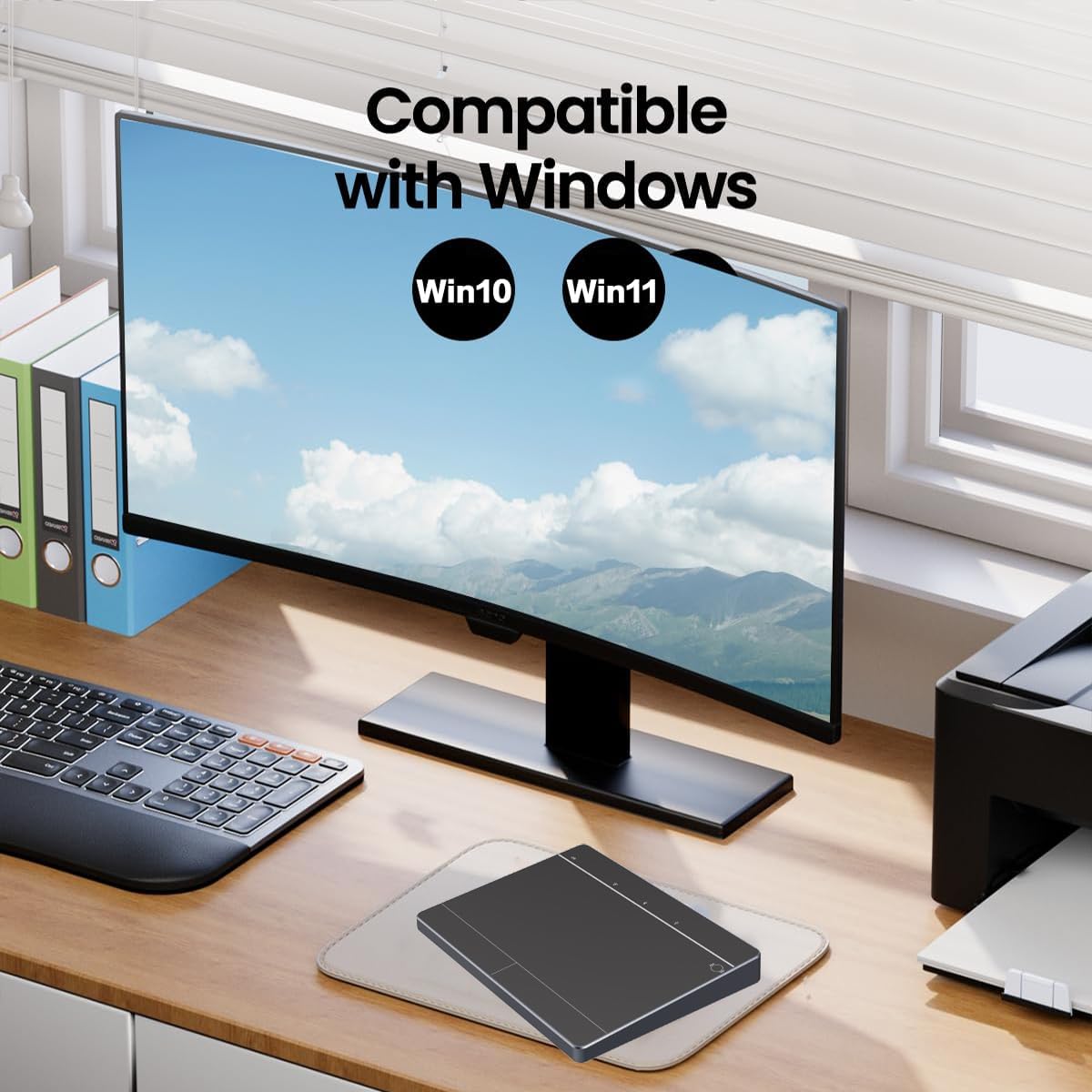
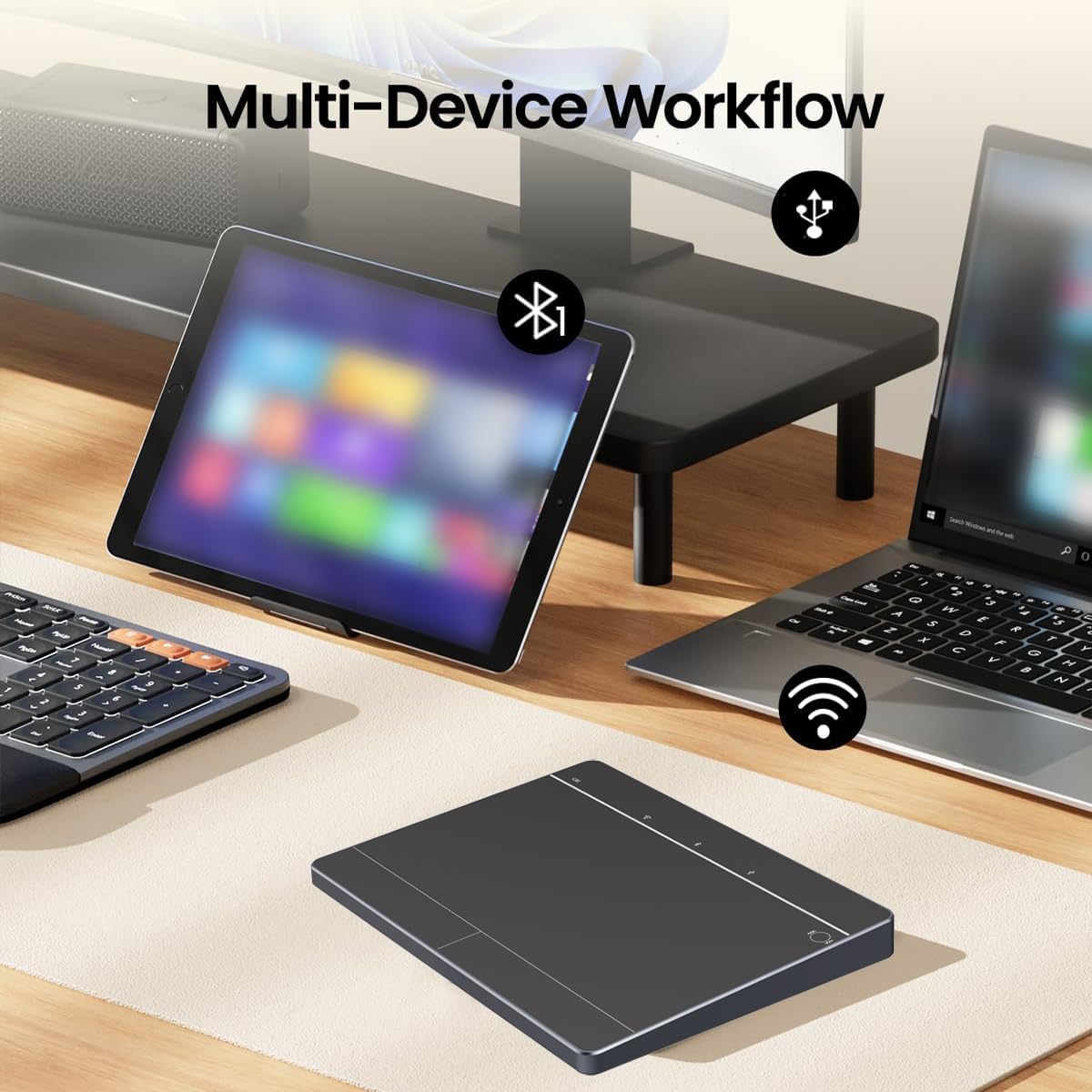
The Wireless Trackpad is designed to seamlessly work with Windows 11, Windows 10, PCs, laptops, and desktops. Please note: It is not compatible with Mac, Chrome OS, or Linux devices Effortless Multi-Device Switching: Switch between up to 3 devices with ease, Our Bluetooth trackpad connects to three different devices simultaneously via three Bluetooth channels. Simply press the mode switch button to jump between your laptop, PC, or tablet—no hassle, no delays
고객 리뷰
4.00

(100 점수)

5
0
4
19
3
13
2
17
1
51
댓글 취소
댓글을 남겨주세요

14 논평

2.0 out of 5 stars DOES NOT work with IOS/MAC
2026-01-20    -Ridiculous design.

I spent over an hour trying to get this pad to work - luckily I have multiple devices to test with. With PC, it works - really well.With IOS/Mac - NOT. Yes, there is an IOS gesture list in the instructions, but linked to either my Mac Pro 2 or my iPhone, it was useless.Generally it’s a hefty, well designed and crafted product - which is why I’m so upset. Had this really worked with IOS/Mac, I would have another.For PC users, you’re lucky, but I repeat: It does not work with IOS/Mac

I wasn’t even planning to buy a trackpad. I’m more of a mouse guy, always have been. But my wrists been acting up lately and I needed something more ergonomic for long work sessions. Saw the Wired & 2.4G Wireless & Bluetooth Trackpad and figured, eh why not. Turns out... I kinda love this thing.First off, the triple connection modes are super handy. I use it wired when I’m at my desk, then switch to Bluetooth when I’m on the couch with my laptop. The 2.4GHz wireless dongle is also included (thank god, some brands make you buy it separate 🙄), and it works great on my older PC that doesn’t have Bluetooth. Switching between modes is easy, just hold the little button on the side and boom—new device connected.The multi-gesture support is legit. I didn’t think I’d use all the fancy swipes and taps, but now I’m doing three-finger swipes to switch apps like a wizard. Two-finger scroll is smooth, pinch-to-zoom works like a charm, and even the four-finger swipe for notification center is responsive. It’s like having a mini touchscreen under your palm.Build quality is way better than I expected. It’s got a nice matte black finish, doesn’t show fingerprints, and feels solid—not plasticky or cheap. The surface is big enough for gestures but not so huge that it takes up half your desk. It’s also thin and light, so I toss it in my backpack when I travel and it doesn’t add bulk.Battery life? Honestly, I charged it once when I got it and haven’t had to plug it in again. It goes into sleep mode after a few mins of inactivity, but wakes up instantly when you touch it. There’s a little LED that blinks when it’s low, but I haven’t seen it yet so... guess it’s still good lol.Setup was easy. Plugged it in, Windows 11 recognized it instantly, no drivers needed. I did download the optional config software just to tweak a few gestures, but you don’t really need it unless you’re picky.I didn’t expect to like this as much as I do. It’s made my workflow smoother, my wrists happier, and my desk setup cleaner. I even recommended it to my teacher friend who’s always juggling between laptop and tablet—she said it’s a gamechanger for grading and Zoom calls.If you’re on the fence, just get it. It’s one of those gadgets that quietly makes your life better without trying too hard. And it looks cool too 😎

I recently swapped to the JOMAA multi-mode trackpad mouse to streamline my workflow on both desktop and laptop—and it’s been a game-changer.🖐 True Trackpad with Gesture SupportThe smooth glass-like surface responds well to swipes, pinches, and taps—just like a laptop trackpad. I use two-finger scroll, three-finger swipe for navigation, and four-finger commands for desktop switching. It’s intuitive and improves productivity.🔌 Wired, 2.4 GHz, or Bluetooth—Your ChoiceI keep a USB-C cable handy for power when needed, use 2.4 GHz for uninterrupted responsiveness during gaming, and Bluetooth for setup simplicity when I'm close enough. Switching between modes is seamless and quick.🔋 Built-In Battery & USB-C ChargingThe rechargeable battery lasts through multiple workdays, and USB-C charging is fast and easy. I don’t have to deal with disposable batteries anymore.🖱 Feels Like a Mouse—Smooth & ReliableDespite the trackpad surface, it still acts like a traditional mouse when I need pointer precision for design work.Final VerdictThis device gives me trackpad gestures with solid input options and seamless connectivity. It fits both my office and home setup—perfect for design, browsing, editing, or remote collaboration. Thoughtful, flexible, and effective—just what I needed on my desk.

I recently swapped to the JOMAA multi-mode trackpad mouse to streamline my workflow on both desktop and laptop—and it’s been a game-changer.🖐 True Trackpad with Gesture SupportThe smooth glass-like surface responds well to swipes, pinches, and taps—just like a laptop trackpad. I use two-finger scroll, three-finger swipe for navigation, and four-finger commands for desktop switching. It’s intuitive and improves productivity.🔌 Wired, 2.4 GHz, or Bluetooth—Your ChoiceI keep a USB-C cable handy for power when needed, use 2.4 GHz for uninterrupted responsiveness during gaming, and Bluetooth for setup simplicity when I'm close enough. Switching between modes is seamless and quick.🔋 Built-In Battery & USB-C ChargingThe rechargeable battery lasts through multiple workdays, and USB-C charging is fast and easy. I don’t have to deal with disposable batteries anymore.🖱 Feels Like a Mouse—Smooth & ReliableDespite the trackpad surface, it still acts like a traditional mouse when I need pointer precision for design work.Final VerdictThis device gives me trackpad gestures with solid input options and seamless connectivity. It fits both my office and home setup—perfect for design, browsing, editing, or remote collaboration. Thoughtful, flexible, and effective—just what I needed on my desk.

I wasn’t even planning to buy a trackpad. I’m more of a mouse guy, always have been. But my wrists been acting up lately and I needed something more ergonomic for long work sessions. Saw the Wired & 2.4G Wireless & Bluetooth Trackpad and figured, eh why not. Turns out... I kinda love this thing.First off, the triple connection modes are super handy. I use it wired when I’m at my desk, then switch to Bluetooth when I’m on the couch with my laptop. The 2.4GHz wireless dongle is also included (thank god, some brands make you buy it separate 🙄), and it works great on my older PC that doesn’t have Bluetooth. Switching between modes is easy, just hold the little button on the side and boom—new device connected.The multi-gesture support is legit. I didn’t think I’d use all the fancy swipes and taps, but now I’m doing three-finger swipes to switch apps like a wizard. Two-finger scroll is smooth, pinch-to-zoom works like a charm, and even the four-finger swipe for notification center is responsive. It’s like having a mini touchscreen under your palm.Build quality is way better than I expected. It’s got a nice matte black finish, doesn’t show fingerprints, and feels solid—not plasticky or cheap. The surface is big enough for gestures but not so huge that it takes up half your desk. It’s also thin and light, so I toss it in my backpack when I travel and it doesn’t add bulk.Battery life? Honestly, I charged it once when I got it and haven’t had to plug it in again. It goes into sleep mode after a few mins of inactivity, but wakes up instantly when you touch it. There’s a little LED that blinks when it’s low, but I haven’t seen it yet so... guess it’s still good lol.Setup was easy. Plugged it in, Windows 11 recognized it instantly, no drivers needed. I did download the optional config software just to tweak a few gestures, but you don’t really need it unless you’re picky.I didn’t expect to like this as much as I do. It’s made my workflow smoother, my wrists happier, and my desk setup cleaner. I even recommended it to my teacher friend who’s always juggling between laptop and tablet—she said it’s a gamechanger for grading and Zoom calls.If you’re on the fence, just get it. It’s one of those gadgets that quietly makes your life better without trying too hard. And it looks cool too 😎

5.0 out of 5 stars Feels good
2026-02-03    -Ray

Well constructed and feels good to use. Has a large surface area to work with and battery lasts long. I like this especially because it is one of the only trackpads with 2.4G support, which makes it feel smooth and responsive compared to bluetooth.

5.0 out of 5 stars Feels good
2026-02-25    -Ray

Well constructed and feels good to use. Has a large surface area to work with and battery lasts long. I like this especially because it is one of the only trackpads with 2.4G support, which makes it feel smooth and responsive compared to bluetooth.

5.0 out of 5 stars Good option
2025-12-31    -Tamara

Works great as expected. We used to have some option at the option after the total shoulder replacement of one of the employees on their opposing hand and made it much easier for them to operate on their non-dominant end. Now that they are back to using their dominant hand regularly they like the function of it without having to cup around a mouse

2.0 out of 5 stars Not for MacBook Pro
2026-02-19    -tetsuo-san

While the over quality seems good, this is not really compatible with Macs. Many of the features don't operate anything like the MacBook trackpad so it is very confusing to use. I'm returning it.

4.0 out of 5 stars Windows compatible.
2026-02-04    -docbob

I wanted to give it 5 stars, but the tracking started going south on me. It made it not very usable for my use. It is easy to use and set up. It is windows comparable. Just it started to not track well. It would start to skip on me randomly. Otherwise I enjoyed it.

댓글을 남겨주세요:

댓글 제목
댓글 내용
배송 및 반품
우리가 당신을 보호하겠습니다

대부분 지역에서는 배송비를 한 번만 지불하시면 됩니다 (주문 및 배송 페이지를 확인해 주세요).

구매 후 14일 이내 무료 반품 가능 (단, 수명이 다한 제품, 맞춤 제작 상품, 마스크, 향수 및 에어로졸과 같이 위험하거나 인화성 물질이 포함된 일부 제품은 제외).

수입 관세 정보

복잡한 절차는 저희가 처리해 드리겠습니다. 카나리아 제도를 제외한 모든 EU 국가, 영국, 미국, 캐나다, 호주, 뉴질랜드, 푸에르토리코, 스위스, 싱가포르, 한국, 쿠웨이트, 멕시코, 카타르, 인도, 노르웨이, 사우디아라비아, 대만, 태국, UAE, 일본, 브라질, 맨섬, 산마리노, 콜롬비아, 칠레, 아르헨티나, 이집트, 레바논, 홍콩 특별행정구, 바레인, 터키로 배송되는 상품 가격에는 모든 수입 관세가 포함되어 있습니다. 표시된 가격이 최종 결제 금액입니다.

예상 배송 시간

특급 배송: 7-10일

해당 창고에서 배송되었습니다.

더 자세한 정보가 필요하신가요?
반품 정책
반품 정책

저희는 제품 품질에 자신 있습니다. 만약 구매하신 제품에 완전히 만족하지 못하신다면, 수령일로부터 30일 이내에 간편하게 반품하실 수 있도록 정책을 마련해 두었습니다.

간편한 교환 또는 환불
  • 다른 사이즈, 색상 또는 스타일의 상품으로 교환하거나 전액 환불받을 수 있습니다.
  • 반품되는 모든 상품은 착용하지 않은 상태여야 하며, 원래 포장 상태 그대로 모든 태그가 손상되지 않은 상태여야 합니다.
간단한 절차
  • 온라인으로 반품을 신청하거나 고객 서비스 팀에 문의하여 도움을 받으실 수 있습니다.
  • 물품을 제대로 포장해 주시고, 원래의 포장 목록도 함께 넣어주세요.
  • 반품하실 상품을 보내주실 때에는 저희가 제공해 드린 선불 배송 라벨을 사용해 주시기 바랍니다.
  • 환불 요청 접수 즉시 처리해 드리겠습니다.

반품과 관련하여 궁금한 점이나 우려 사항이 있으시면 언제든지 저희 전문 고객 서비스 팀에 문의해 주세요. 고객 만족은 저희의 최우선 목표입니다.
범주
차이
제품
모든 제품 지우기