

스트리밍 미디어 플레이어
Roku Streambar Pro Stereo Soundbar Grey
4.40
지난 32시간 동안 판매됨 46
$ 114.49
$ 123.00
-7.43%
So I spent days researching sound bars for our TCL Roku TV from the TCL made one for Roku TVs to generic sound bars to this Roku Streambar Pro. Each has pros/cons to consider and I was very frustrated the amount of time it took to find answers to things I'd think would be common sense sort of things such as why doesn't Roku make a soundbar without a Roku built in for Roku TVs (aside from the fact the TV manufacturers make them)? Or what happens when a Roku TV owner uses a Streambar or Streambar Pro since there's now a 2nd Roku sitting there for nothing? With a normal non-Roku TV it's pretty obvious it's just a matter of changing inputs but with a Roku TV the Roku IS the TV system including changing inputs.So the Pro bar feels pretty well made. It was very simply to plug in but it was frustrating the power cord was so long when I only needed to go about 3 foot with TV mounted on wall & mounting the bar below it using a kit I got off amazon. Suppose they assume many will want a long cord such as if the bar is on TV cabinet or such but those of us with wall mounted tv need shorter for simpler cable management & hiding those cables. I can probably find a 3rd party power cord that's shorter but I just wanted to test the thing out. The other frustration in mounting the bar is that the bar uses 1/4" screws but the kit came with only metric screws. Yeah that's more on the kit people but TV mounts use metric.. I used the included HDMI cable & plugged into the ARC HDMI port in part because there's a note on the cable that's what should be used. Powered on the tv & like magic the TCL Roku tv saw the bar & it told me I wouldn't need the remote that came with the bar (I assume because it's a Roku TV & plugged into ARC port). So I used the original TV remote & walked thru the simple wizard which most of the time was waiting on it to do forced auto-updates before it would continue. When done it played a demo video which there was no obvious way to cancel but home button did the trick. I was back at the TCL Roku home screen with nothing obviously different besides when changing volume the icon was different (shows a tiny sound bar) and it was obvious the sound was much better & coming out of the bar now instead of the tv speakers. So it appeared I was done.. No sign of the bar's Roku or the HDMI port I plugged it into. HDMI4 was missing now! So that answers the one nagging question of what happens on Roku TV & that's it acts like a stand-alone bar if you choose to leave it that way. I wanted to dig in more so in settings I found HDMI4 set as hidden so i changed that & voila! there was now a new input called Roku Streambar Pro. Cooler yet when i moved to it it showed a thumbnail preview of the other roku like picture in picture. I chose it & there was the new "hidden" Roku. And like magic there were all my apps! But the tv remote no longer worked for anything but tv functions like volume. I had to add batteries to the new remote & use that. Hitting Hom on the TV remote took me to the TV Roku home. Hitting home on new Roku remote alerted me it was taking me to the Streambar Roku with a timer to cancel. Once playing with the new Roku I found that one got setup by the roku tv & roku system without any input/help from me for Wifi, Roku acct login etc. Cool but tad concerning from security/privacy standpoint at the same time.. So both remotes power tv on & off, both volumes control the volume but each remote controls only the respective Roku. This does make sense in hindsight but nice to know & makes me wonder why Roku doesn't document how it works for Roku TV owners. It also answers why they don't sell a bar without a Roku since that new Roku is basically hidden & not used unless you go looking for it (or happen to setup the new remote & hit keys..) But is it?.. Setting up bluetooth streaming Pandora from phone told me otherwise. I added the phone in the TV Roku settings & like magic I could hear the music despite the TV Roku home screen up. Odd.. No controls. No info. Just music playing. I went to the bar Roku while it was playing & there it was! the bluetooth player "channel" was up on that Roku but hidden from view except I had un-hidden it. Others who had not wouldn't even realize that was there & would miss out on part of the experience. Non Roku TV users would have enjoyed the full experience since they'd probably be using the new built in roku. So it made me wonder why not just use the bar's roku instead of the tv's roku? For one anyone who uses other inputs MUST use the Tv's roku. If you ONLY roku that's moot. Same if you use the HD tuner, you'd have to use the TV Roku. Since it's mounted on wall only use Roku so yeah why not?! I did some testing & the menus seems comparison in speed. Apps/channels seems comparable. Then I started a movie on Disney plus & wow did it look much worse on the bar roku vs the tv roku.. On the tv it was bright & very detailed. On the bar it was dark & grainy. The hint was the tv splashed "Dolby Vision" when starting the movie & the bar flashed "HDR". Bummer the bar does not support Dolby Vision :( The movie looked so much worse it was no brainer that using the TV roku was the best option & switch to the bar roku if streaming Pandora & wanting to see the info/status. But I had to dig in more & glad i did. On the bar Roku in display settings it was Auto by default & there was UHD 4K HDR! I set it to 4K non-HDR & wow the D+ movie looked great now! Basically on par with the TV's Roku with Dolby Vision but not quite.. So close most people would probably find it close enough. To me the Dolby Vision was a touch better but not enough to avoid using the bar's Roku at this point and I seemed to answer all my questions except how good does the bar sound.. Streaming Pandora from an Android had me worried because it was pretty flat & tinny no matter what sound settings I chose. The music preset was near impossible to hear without turning volume wayyy up (btw the volume changes lag with either Roku compared to built in sound which was a bit annoying since it took so long to turn it up to hear then back down). I gave up on Pandora & found a streaming music channel on Roku Spectrum app. HOLY COW it was pretty fantastic! WAYY better than the sound of Pandora to point if I had only tried Pandora I would have thought this bar stunk. If it was Pandora or streaming over bluetooth or what I'm not sure but there was definitely a very noticeable difference. Now using the streaming channel it sounds fantastic, especially compared to the TCL built in speakers and after a little tweaking of sound settings on the * menu. Music sounds best with defaults but enable surround drop treble 1 notch & bunch bass a couple.. Oddly enough for tv it sounded better (could hear the people better without "distortion" from the sounds) with surround off. I figure it depends on what we're watching. I'm very pleased with choosing the Streambar Pro at this point & would recommend it to Roku TV or non-Roku TV users alike now that I've answered the questions that kept me from ordering it until now.
15 현재 누군가가 웹사이트를 탐색 중입니다.
수량:
-
+
예상 배송 시간: 12~26일(국제), 3~6일(미국)
구매일로부터 45일 이내에 반품이 가능합니다. 관세 및 세금은 환불되지 않습니다.
-
ASIN:
B08ZJ384PP
-
BATTERIES:
2 AA batteries required. (included)
-
BEST_SELLERS_RANK:
#14,774 in Electronics (See Top 100 in Electronics) #96 in Streaming Media Players
-
CUSTOMER_REVIEWS:
4.4 4.4 out of 5 stars (3,177) 4.4 out of 5 stars
-
DATE_FIRST_AVAILABLE:
April 13, 2021
-
ITEM_MODEL_NUMBER:
9101R2
-
ITEM_WEIGHT:
5.5 pounds
-
MANUFACTURER:
Roku
-
PRODUCT_DIMENSIONS:
2.8 x 32.2 x 3.9 inches
안전한 결제를 보장하세요






제품 상세 정보
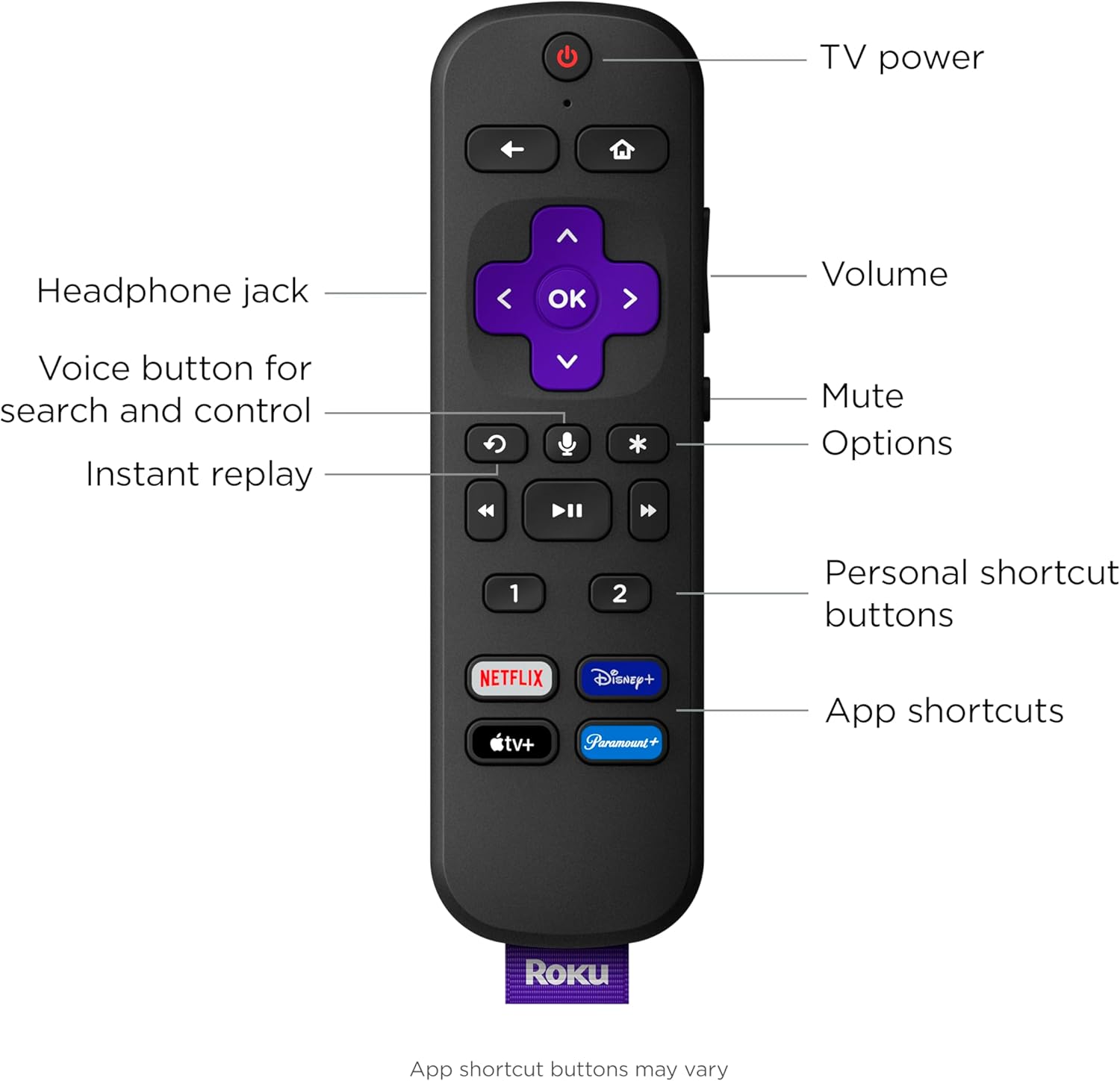
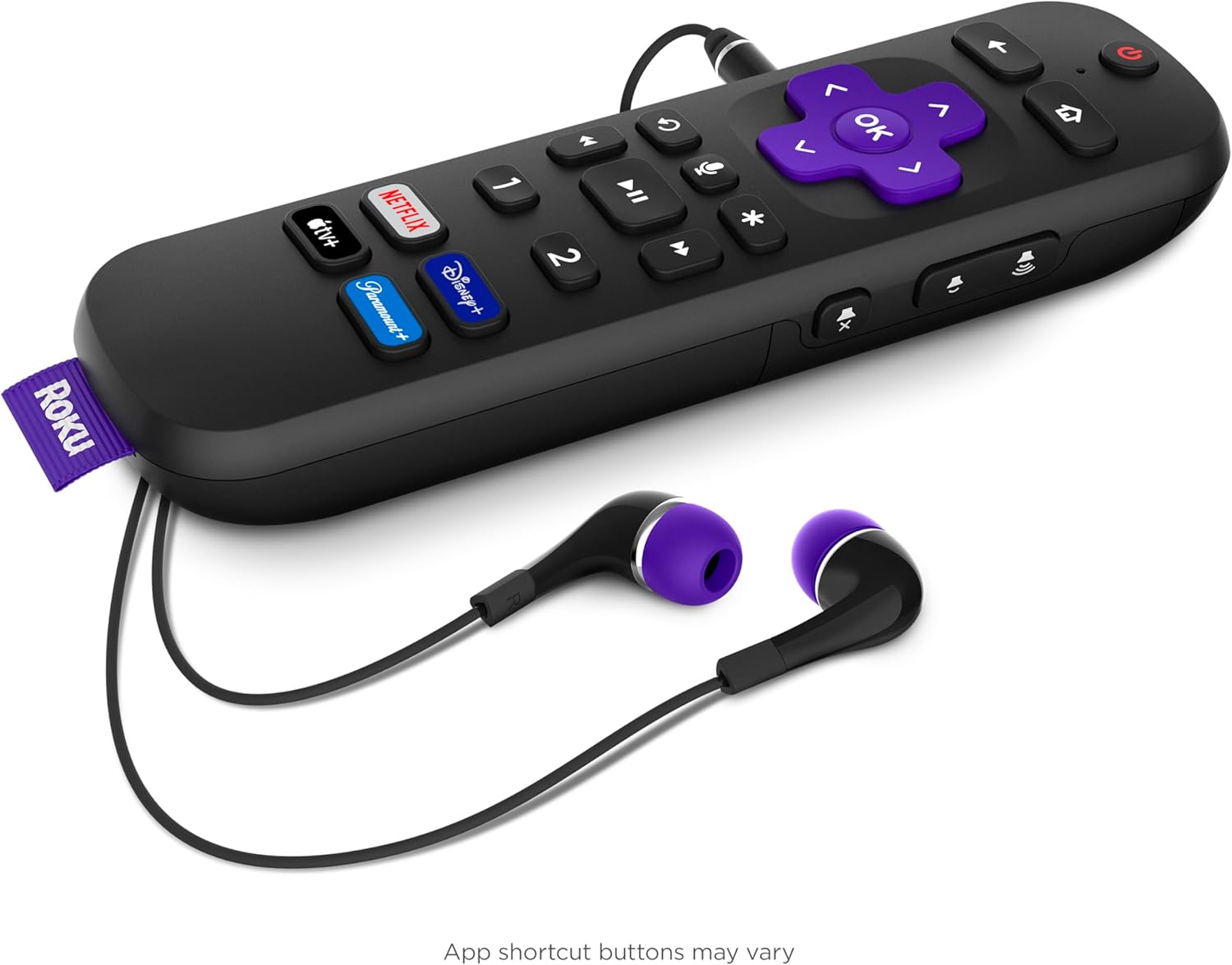
Roku Streambar Pro is the ultimate 2-in-1 entertainment upgrade with Roku streaming and cinematic sound for any TV. Upgrade to America’s #1 TV streaming platform* and enjoy a massive selection of free and live TV in vibrant 4K HDR picture quality. The customizable home screen puts your favorite channels like Netflix, Prime Video, Amazon Freevee, Disney+, HBO Max, Apple TV+, and Hulu front and center. Enjoy an immersive audio experience with virtual surround. Crisp, clean audio makes dialogue easier to hear. You can even quiet loud commercials automatically plus stream music with Bluetooth®. Setup is simple with everything in the box, including the Roku voice remote with that controls your TV, sound, and streaming and has personal shortcuts and a lost remote finder. For even bigger sound, add deep, rich bass with Roku Wireless Bass Pro and immersive surround sound with Roku Wireless Speakers (sold separately). Just plug in and wirelessly pair. Roku is America’s #1 TV streaming platform based on hours streamed – Hypothesis Group, December 2022.
고객 리뷰
4.40
(100 점수)
댓글 취소
댓글을 남겨주세요

배송 및 반품
우리가 당신을 보호하겠습니다
대부분 지역에서는 배송비를 한 번만 지불하시면 됩니다 (주문 및 배송 페이지를 확인해 주세요).
구매 후 14일 이내 무료 반품 가능 (단, 수명이 다한 제품, 맞춤 제작 상품, 마스크, 향수 및 에어로졸과 같이 위험하거나 인화성 물질이 포함된 일부 제품은 제외).
수입 관세 정보
복잡한 절차는 저희가 처리해 드리겠습니다. 카나리아 제도를 제외한 모든 EU 국가, 영국, 미국, 캐나다, 호주, 뉴질랜드, 푸에르토리코, 스위스, 싱가포르, 한국, 쿠웨이트, 멕시코, 카타르, 인도, 노르웨이, 사우디아라비아, 대만, 태국, UAE, 일본, 브라질, 맨섬, 산마리노, 콜롬비아, 칠레, 아르헨티나, 이집트, 레바논, 홍콩 특별행정구, 바레인, 터키로 배송되는 상품 가격에는 모든 수입 관세가 포함되어 있습니다. 표시된 가격이 최종 결제 금액입니다.
예상 배송 시간
특급 배송: 7-10일
해당 창고에서 배송되었습니다.
반품 정책
반품 정책
저희는 제품 품질에 자신 있습니다. 만약 구매하신 제품에 완전히 만족하지 못하신다면, 수령일로부터 30일 이내에 간편하게 반품하실 수 있도록 정책을 마련해 두었습니다.
간편한 교환 또는 환불
- 다른 사이즈, 색상 또는 스타일의 상품으로 교환하거나 전액 환불받을 수 있습니다.
- 반품되는 모든 상품은 착용하지 않은 상태여야 하며, 원래 포장 상태 그대로 모든 태그가 손상되지 않은 상태여야 합니다.
간단한 절차
- 온라인으로 반품을 신청하거나 고객 서비스 팀에 문의하여 도움을 받으실 수 있습니다.
- 물품을 제대로 포장해 주시고, 원래의 포장 목록도 함께 넣어주세요.
- 반품하실 상품을 보내주실 때에는 저희가 제공해 드린 선불 배송 라벨을 사용해 주시기 바랍니다.
- 환불 요청 접수 즉시 처리해 드리겠습니다.
반품과 관련하여 궁금한 점이나 우려 사항이 있으시면 언제든지 저희 전문 고객 서비스 팀에 문의해 주세요. 고객 만족은 저희의 최우선 목표입니다.