고객 서비스

판매자들은 가입하면 더 많은 혜택을 누릴 수 있습니다.

모든 주문 무료 배송.

스캐너

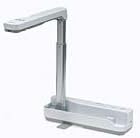
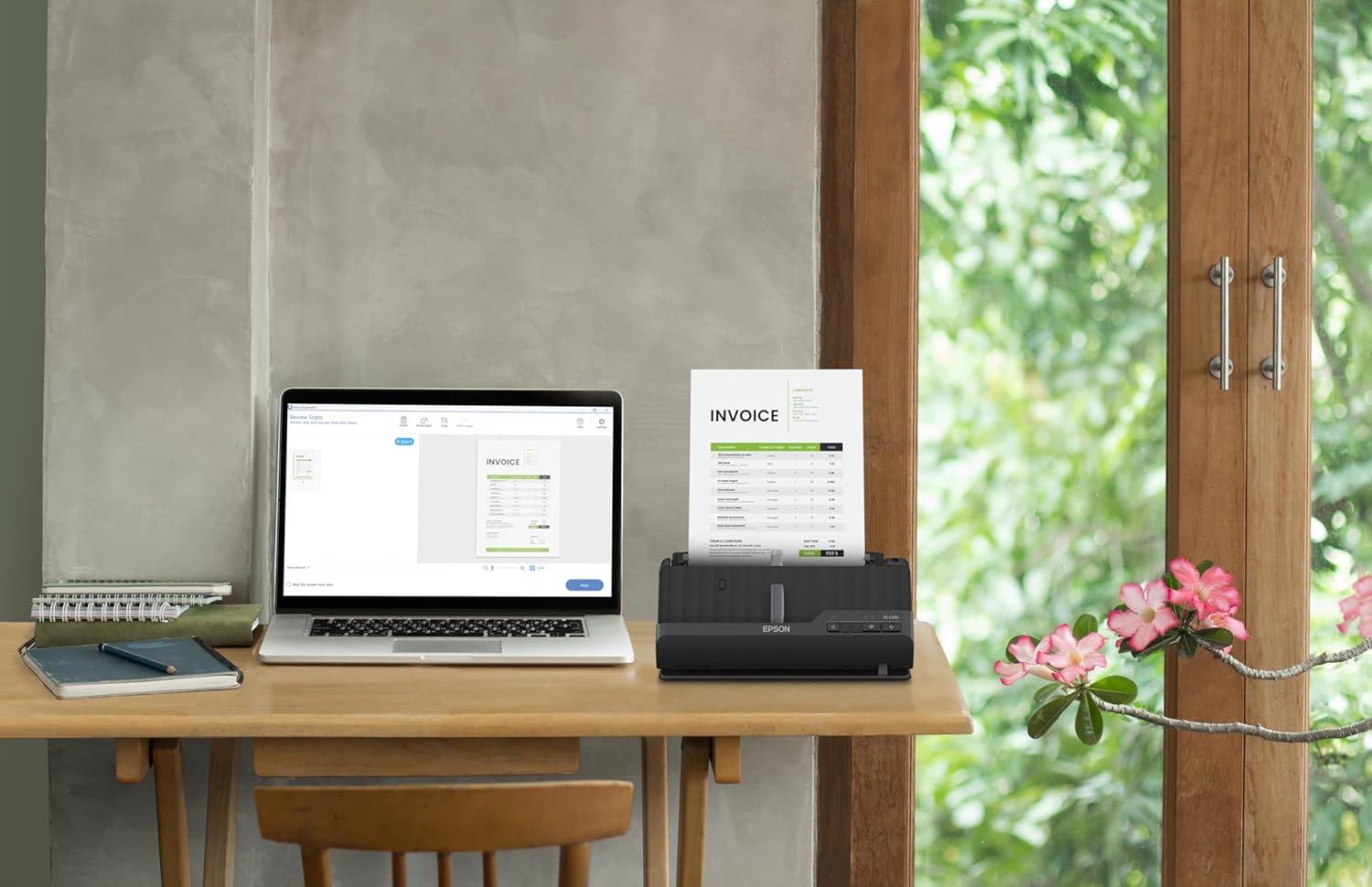
Epson Workforce ES-C220 Compact Desktop Document Scanner with 2-Sided Scanning and Auto Feeder (ADF) for PC as Well as Mac

4.20

지난 32시간 동안 판매됨 34

$ 249.99
$ 258.00
-3.20%

Perfect for my home office needs. Easy to setup and configure. I configured this scanner to save directly to a folder in my laptop wirelessly. The software is simple and easy to use. The scanner can scan documents one sided or two-sided without rescanning the other side. And it does it fast. It also has OCR capabilities.

12 현재 누군가가 웹사이트를 탐색 중입니다.

Style
ES-C320 ES-200 ES-C220
수량:
- +

예상 배송 시간: 12~26일(국제), 3~6일(미국)

구매일로부터 45일 이내에 반품이 가능합니다. 관세 및 세금은 환불되지 않습니다.

  • ASIN:

    B0C8VKWMDR

  • BEST_SELLERS_RANK:

    #9,838 in Office Products (See Top 100 in Office Products) #12 in Document Scanners

  • CUSTOMER_REVIEWS:

    4.2 4.2 out of 5 stars (1,106) 4.2 out of 5 stars

  • DATE_FIRST_AVAILABLE:

    September 19, 2023

  • ITEM_MODEL_NUMBER:

    B11B272202

  • ITEM_WEIGHT:

    3.85 pounds

  • MANUFACTURER:

    Epson

  • PRODUCT_DIMENSIONS:

    4.1 x 11.7 x 4.9 inches

안전한 결제를 보장하세요

제품 상세 정보
A compact modern wonder, the WorkForce ES-C220 keeps things simple with its intuitive design and exceptional flexibility. With the ES-C220, you can organize stacks of documents and make keeping piles of paperwork for your records a thing of the past. Ideal for the home or office, this easy-to-use scanner is the definition of innovation, saving 60% of desk space (1) and scanning two sides at once as fast as 30 ppm/60 ipm (2). Offering a robust solution to managing your workflow, the included Epson ScanSmart software (3) allows you to preview, email and upload your scans. In addition, help save valuable time with automatic file name suggestion for streamlined file management. The scanner features a 20-page Auto Document Feeder that makes it easy to scan in batches. In addition, the versatile ES-C220 scans papers of varying sizes up to 8.5" x 120". Maintain amazing quality with intelligent image adjustments such as cropping, paper skew correction and dirt detection. From the #1 best-selling scanner brand at retail (4), the ES-C220 proves bigger isn’t always better. 1. In vertical path scanning position compared to Epson WorkForce ES-400 II with trays extended. | 2. Based on letter-sized scans at 300 dpi in Black-and-White, Grayscale or Color Mode. |3. Requires Internet connection for Epson ScanSmart software download and installation on a connected Windows PC or Mac. | 4. Source: The NPD Group, Inc., Retail Tracking Service, U.S. & Canada, Scanners, Aug. 2021 – Jul. 2022. | 5. Optional carrier sheet required.
고객 리뷰
4.20

(100 점수)

5
8
4
5
3
7
2
15
1
65
댓글 취소
댓글을 남겨주세요

26 논평

I've had this scanner for two years. Overall, it has done what it is suppose to do, SCAN. This is a small duplex wired (no battery) scanner. Also, no WIFI features. It's just bare bones simple with fast simple software. Scans are fast and fairly sharp. Also, it comes with a separate power pack & cord, but you don.t need it if your using it with your laptop. Just plug in the USB cord and it will transfer data & power to your scanner. And its small, easy to travel. The only problem is its quirky paper feed. You have to constantly move the first page in the scanner so it seats just right in the feeder. When you have found the right paper position a dull scanner indicator lights turn bright blue. That's when you know your paper is seated correctly. Otherwise the scanner will not scan. This fidgety paper feed has been noted by many other reviewers. But, for a scanner that cost me less than $175, I can tolerate it.

I've had this scanner for about a year now, and every time I use it, I love it! I just scanned 110 pages, double-sided, in three batches in about 2 minutes. The software offers multiples ways to save it. If it broke down, I'd buy another just like it. The only odd thing is that, at first, I could load the paper and scan by pushing a button, and the software would pop up on my PC to receive the scan. It stopped doing that for some reason. I can live with that. It doesn't take up much desk space, either, and closes to keep the dust out. I highly recommend it! No problems. No hassles. Nothing but pro scanning ability. Thanks, Epson! Well done!

I've had this scanner for two years. Overall, it has done what it is suppose to do, SCAN. This is a small duplex wired (no battery) scanner. Also, no WIFI features. It's just bare bones simple with fast simple software. Scans are fast and fairly sharp. Also, it comes with a separate power pack & cord, but you don.t need it if your using it with your laptop. Just plug in the USB cord and it will transfer data & power to your scanner. And its small, easy to travel. The only problem is its quirky paper feed. You have to constantly move the first page in the scanner so it seats just right in the feeder. When you have found the right paper position a dull scanner indicator lights turn bright blue. That's when you know your paper is seated correctly. Otherwise the scanner will not scan. This fidgety paper feed has been noted by many other reviewers. But, for a scanner that cost me less than $175, I can tolerate it.

Fast, easy and great image quality
2025-12-30    -Dennis

Wow, what can I say, this is a great little scanner! I bought it to replace an old Canon flatbed scanner that I have been using for 7-8 years to scan documents into my computer. What used to take 20 minutes to scan a 10 page double sided document I can now do in a couple of minutes - and the image quality is excellent!I was planning on keeping the old flatbed scanner in case I wanted to scan photos, but the image quality is so good on the ES-200 that I have no need to keep the old one around.The software that comes with the scanner works well. You place the sheets in the feed tray and then press the scan button. The software automatically opens on your computer and it begins scanning the pages. When it has finished, you can delete or reorder the pages, then either save the document or do one of many things, like emailing it or uploading it to cloud storage. The software can do OCR to automatically detect the text in a document making for easy searching or copy/paste.Word of warning though, the scanner does not come with a software disk, just a sheet of paper with a web address where to go to download the software. But I had no problems downloading and installing it.Overall, this scanner is everything that I hoped for, and works flawlessly for my needs. The portability and excellent image quality are just a bonus.

5.0 out of 5 stars EASY SCANNING
2026-01-02    -Me

Awesome device.. Has made my life easier

I've had this scanner for about a year now, and every time I use it, I love it! I just scanned 110 pages, double-sided, in three batches in about 2 minutes. The software offers multiples ways to save it. If it broke down, I'd buy another just like it. The only odd thing is that, at first, I could load the paper and scan by pushing a button, and the software would pop up on my PC to receive the scan. It stopped doing that for some reason. I can live with that. It doesn't take up much desk space, either, and closes to keep the dust out. I highly recommend it! No problems. No hassles. Nothing but pro scanning ability. Thanks, Epson! Well done!

Perfect for my home office needs. Easy to setup and configure. I configured this scanner to save directly to a folder in my laptop wirelessly. The software is simple and easy to use. The scanner can scan documents one sided or two-sided without rescanning the other side. And it does it fast. It also has OCR capabilities.

A very UNpractical device. I have been annoyed for some time by product developers and programmers who will decide how [un-]handy a device or a software set is for the client. This is a good example of the attitude of this professional group.1 the device cannot be seen by your laptop [in my case: Apple] when the device is turned on. Because the scanner puts itself in sleep mode, so that the laptop can no longer see it. So you often have to turn it on and off to manually establish contact between laptop and scanner. Very inconvenient, and after a while you really start to get annoyed by it.2 if you have scanned and you are going to save the document on the laptop, then you cannot press enter once to definitively link the name to the document. No, you have to go to the mouse or your trackpad to click 2 {!} times before the requested name is saved. Note: this is EPSON's software, so this is EPSON's fault3. another thing that makes scanning inconvenient. when saving you only get a limited number of positions for the name of the document. In my case that is insufficient space for 60% of the documents. In order to be able to give your document the full name you have to go to the FINDER to find the document there, click on it, after which you can change the name. Very inconvenient! 4. the automatic feed can only handle a limited thickness of paper. scanning a wrapper around a product for example leads to a jam due to the limited possible paper thickness. Also a pity,

Fast, easy and great image quality
2026-01-15    -Dennis

Wow, what can I say, this is a great little scanner! I bought it to replace an old Canon flatbed scanner that I have been using for 7-8 years to scan documents into my computer. What used to take 20 minutes to scan a 10 page double sided document I can now do in a couple of minutes - and the image quality is excellent!I was planning on keeping the old flatbed scanner in case I wanted to scan photos, but the image quality is so good on the ES-200 that I have no need to keep the old one around.The software that comes with the scanner works well. You place the sheets in the feed tray and then press the scan button. The software automatically opens on your computer and it begins scanning the pages. When it has finished, you can delete or reorder the pages, then either save the document or do one of many things, like emailing it or uploading it to cloud storage. The software can do OCR to automatically detect the text in a document making for easy searching or copy/paste.Word of warning though, the scanner does not come with a software disk, just a sheet of paper with a web address where to go to download the software. But I had no problems downloading and installing it.Overall, this scanner is everything that I hoped for, and works flawlessly for my needs. The portability and excellent image quality are just a bonus.

bon rapport qualité/prix
2026-01-18    -Nancy

Parfait et très compacte, il fait exactement ce qu'il est inscrit sur la ficheet le prix est vraiment pas cher.

댓글을 남겨주세요:

댓글 제목
댓글 내용
배송 및 반품
우리가 당신을 보호하겠습니다

대부분 지역에서는 배송비를 한 번만 지불하시면 됩니다 (주문 및 배송 페이지를 확인해 주세요).

구매 후 14일 이내 무료 반품 가능 (단, 수명이 다한 제품, 맞춤 제작 상품, 마스크, 향수 및 에어로졸과 같이 위험하거나 인화성 물질이 포함된 일부 제품은 제외).

수입 관세 정보

복잡한 절차는 저희가 처리해 드리겠습니다. 카나리아 제도를 제외한 모든 EU 국가, 영국, 미국, 캐나다, 호주, 뉴질랜드, 푸에르토리코, 스위스, 싱가포르, 한국, 쿠웨이트, 멕시코, 카타르, 인도, 노르웨이, 사우디아라비아, 대만, 태국, UAE, 일본, 브라질, 맨섬, 산마리노, 콜롬비아, 칠레, 아르헨티나, 이집트, 레바논, 홍콩 특별행정구, 바레인, 터키로 배송되는 상품 가격에는 모든 수입 관세가 포함되어 있습니다. 표시된 가격이 최종 결제 금액입니다.

예상 배송 시간

특급 배송: 7-10일

해당 창고에서 배송되었습니다.

더 자세한 정보가 필요하신가요?
반품 정책
반품 정책

저희는 제품 품질에 자신 있습니다. 만약 구매하신 제품에 완전히 만족하지 못하신다면, 수령일로부터 30일 이내에 간편하게 반품하실 수 있도록 정책을 마련해 두었습니다.

간편한 교환 또는 환불
  • 다른 사이즈, 색상 또는 스타일의 상품으로 교환하거나 전액 환불받을 수 있습니다.
  • 반품되는 모든 상품은 착용하지 않은 상태여야 하며, 원래 포장 상태 그대로 모든 태그가 손상되지 않은 상태여야 합니다.
간단한 절차
  • 온라인으로 반품을 신청하거나 고객 서비스 팀에 문의하여 도움을 받으실 수 있습니다.
  • 물품을 제대로 포장해 주시고, 원래의 포장 목록도 함께 넣어주세요.
  • 반품하실 상품을 보내주실 때에는 저희가 제공해 드린 선불 배송 라벨을 사용해 주시기 바랍니다.
  • 환불 요청 접수 즉시 처리해 드리겠습니다.

반품과 관련하여 궁금한 점이나 우려 사항이 있으시면 언제든지 저희 전문 고객 서비스 팀에 문의해 주세요. 고객 만족은 저희의 최우선 목표입니다.

범주
차이
제품
모든 제품 지우기